
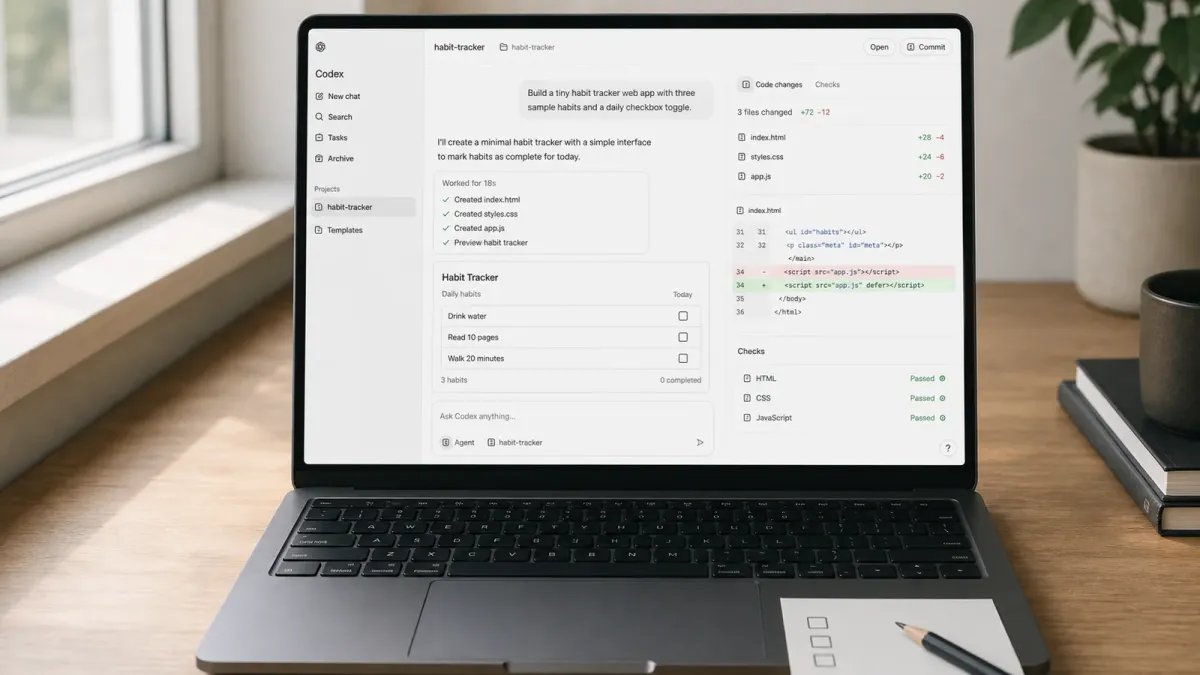
Vibe coding is an informal name for building software by describing what you want in ordinary language and letting an AI coding agent produce much of the implementation. It can make a first prototype feel surprisingly fast, but the useful version of the practice still needs a person to choose the goal, check the work and decide what is safe to ship.
OpenAI’s Codex quickstart points developers to several ways to work: the ChatGPT desktop app for projects and local files, Codex CLI for the terminal, and the Codex IDE extension for editor-based work. Beginners do not need to master all three. Pick the surface that feels closest to how you already use a computer.
The best first project is small, visible and reversible. A one-page personal site, a tiny expense tracker or a simple quiz is better than a medical app, payment system or large social network. The aim is to learn the loop: describe a result, let Codex inspect and edit the project, run the checks, review the change and refine it.
The short answer
To start vibe coding with Codex, open a small project folder, explain the outcome you want, identify the relevant context and constraints, and say what must be true when the work is done. Then ask Codex to implement one thin slice, run the project’s tests or checks, and summarize the changes for your review.
That is more reliable than asking for an entire polished product in one shot. It also makes mistakes easier to see and undo.
Do this first
- Choose one narrow idea. Define the smallest version someone can actually use. For a habit tracker, that might be adding a habit, marking today complete and keeping the state after a refresh.
- Create or open a project folder. If you use the desktop app, open the folder and select Codex for software work. In a supported editor, install or enable the Codex integration and open the project. Terminal users can install Codex CLI, move into the project directory and run
codex. - Protect your starting point. Initialize Git if appropriate and make a checkpoint before a substantial task. OpenAI’s CLI and IDE guides explicitly recommend Git checkpoints before and after work so changes can be reverted.
- Ask for a plan when the idea is fuzzy. For a complex or ambiguous project, use Plan mode or ask Codex to interview you before it writes code. A short planning pass can expose missing decisions about users, data and scope.
- Build one end-to-end slice. Ask for the smallest path that works, including a way to verify it. Only add accounts, databases, payments or deployment after the basic loop behaves correctly.
Choose the Codex surface that fits you
Use the desktop app if you want a visual workspace for local folders, multiple projects, longer-running tasks and file review. OpenAI describes it as the recommended desktop option for projects and local files.
Use the IDE extension if you already spend time in VS Code, Cursor, Windsurf, Xcode or a JetBrains IDE. The extension can use open files and selected code as context, and it keeps the summary and diff beside the source.
Use Codex CLI if you are comfortable in a terminal. It can inspect files, edit code, run installed tools and keep the work inside one command-line loop. The first time you run it, follow the sign-in flow shown by the CLI.
Write a first prompt Codex can act on
OpenAI’s current best-practices guide recommends four pieces: the goal, the relevant context, the constraints and the definition of done. You can write them conversationally. For example:
Build a small browser-based habit tracker in this folder. Use the existing project setup and keep the interface mobile-friendly. A user must be able to add a habit, mark today complete and keep the data after a refresh. Do not add accounts, analytics or paid services. Run the relevant tests and explain how I can verify the result locally.That prompt gives Codex room to make ordinary implementation decisions while drawing a clear boundary around the first version. If the project already has conventions, point Codex to the relevant files or examples. If a visual detail matters, attach a sketch or screenshot instead of trying to describe every pixel.
Use a short build-review loop
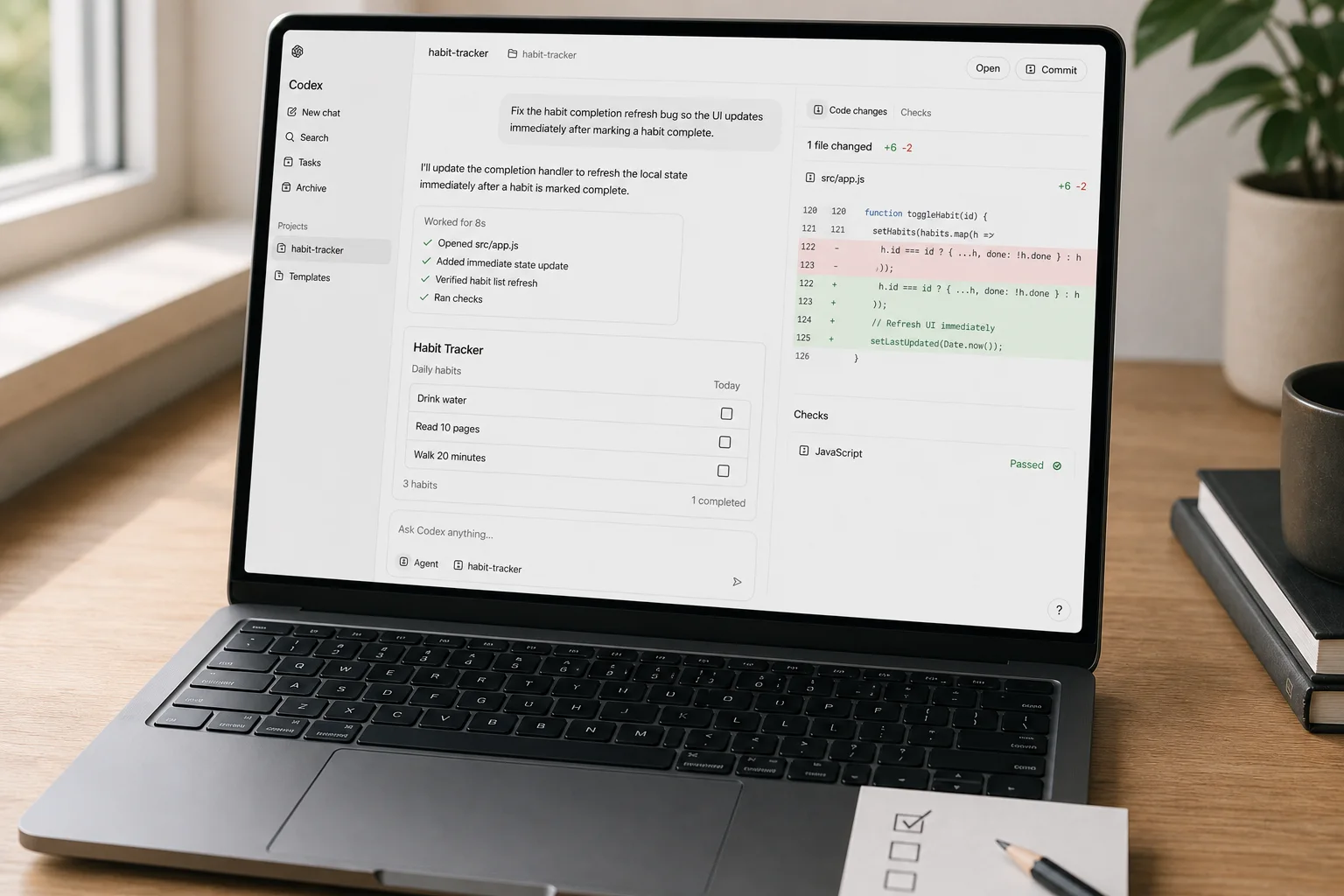
After the first change, do not immediately ask for ten more features. Run the app and try the exact actions in the definition of done. Read Codex’s summary, inspect the diff and ask a focused follow-up such as, “The completion state resets after a refresh. Reproduce that bug, fix it, add a test and rerun the checks.”
This is where vibe coding becomes engineering rather than wishful prompting. OpenAI recommends asking Codex to create or update tests when needed, run the relevant suites, check linting and formatting, confirm the requested behavior and review the diff for regressions. You remain responsible for deciding whether the output is correct.
Check these details before you ship
- Permissions: Start with the default controls and grant broader file, command or network access only when the task requires it and you trust the repository.
- Secrets: Do not paste passwords, private keys or production credentials into prompts or source files. Use the project’s supported environment-variable or secret-management workflow.
- Dependencies: Review any new package before accepting it. Check why it is needed, whether the project already has an alternative and whether it is maintained.
- Data and safety: Treat authentication, payments, health, legal, financial and personal-data features as higher-risk work that needs qualified review and stronger testing.
- Deployment: Preview first. Confirm the build, responsive layout, links, forms, error states and rollback path before publishing.
Make good instructions reusable
Once you have a working loop, put durable project rules in AGENTS.md. Codex reads these files as project guidance. A useful file explains the repository layout, build and test commands, engineering conventions, boundaries and what “done” means. The CLI’s /init command can scaffold a starter file, but edit it so it reflects the real project.
Keep those instructions short and concrete. A rule such as “run npm test after changing JavaScript files” is more useful than “write high-quality code.” Add guidance when you see a repeated mistake, not to anticipate every possible edge case.
Common mistakes
- Starting with a project too large to understand or test.
- Giving only a feature name and no acceptance criteria.
- Accepting code because the interface looks plausible.
- Skipping Git checkpoints, tests or diff review.
- Adding accounts, payments and production data to the first prototype.
- Continuing to pile requests onto a broken foundation instead of reproducing and fixing one issue at a time.
When to get help
Ask an experienced developer to review security-sensitive code, production infrastructure, database migrations, accessibility and anything that handles money or personal data. Codex can assist with explanation, testing and review, but it does not transfer responsibility away from the person shipping the software.
The practical starting point is modest: one folder, one useful outcome, one clear prompt and one reviewable change. If you can explain what success looks like and verify it yourself, Codex can shorten the path from an idea to a working first version without turning the process into a black box.


